
Findlo Tracker1.2 - App Store
You'll be able to see results in few seconds.
Publisher Description
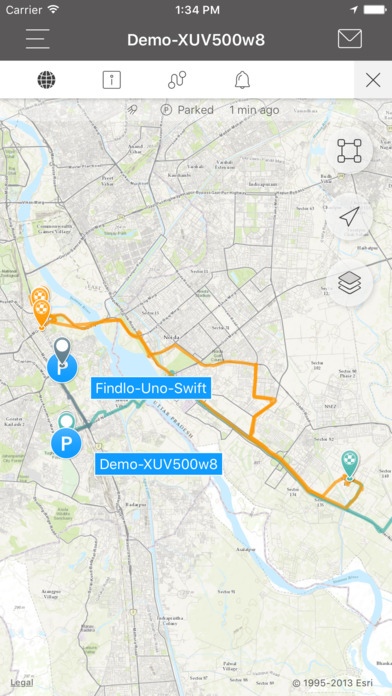
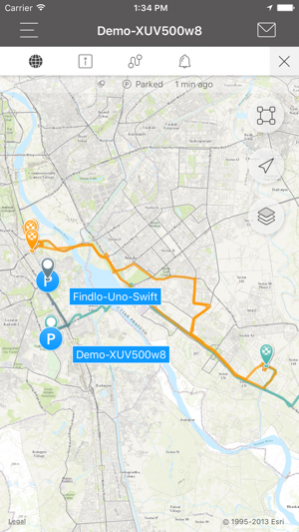
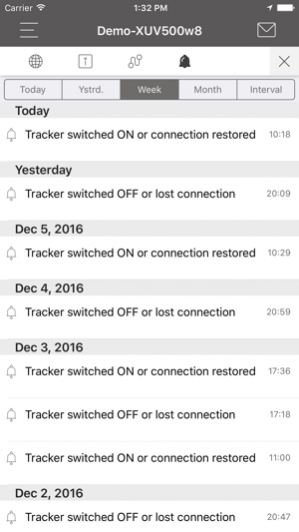
Findlo Monitor tracks location of Findlo Tracking Devices like Findlo Personal Tracker-EKA and Findlo Vehicle Tracker-UNO. Using this app, you can track and can get live whereabouts of your children, family members, employees, your vehicle like car, bus, truck etc. In additions, you can locate your lost or stolen assets.
View our introduction video https://youtu.be/CcktVUMyD44
USE CASE
► Follow whereabouts of your family members, employees, or vehicles
► Get live alerts on your app for Speed, Route, Parking etc
► Locate your lost or stolen device or vehicle.
► Remotly Cutoff your vehcile using App.
FEATURES
► Tracking Multiple Devices
You can track multiple devices in your account. All your devices are shown in the same place
► Real-Time Update
Location data for your Findlo GPS devices is available in our APP real-time.
► Geo-Fencing
You will receive notification email when your tracked device exits or enters the geo-fence. Geo-fencing can be set up in our web site
► SOS Panic Button
Email your current location and call a designated telephone number
► Low Battery Consumption
This app is designed to conserve your device battery and it does not drain your phone battery
► Always On
Once the app starts, it runs quietly in the background and requires no human interaction.
► Multiple Mobile Platforms
Other mobile platforms are available in our web site
Apr 26, 2017 Version 1.2
* minor bug fix
About Findlo Tracker
The company that develops Findlo Tracker is KUKJE BUSINESS SOLUTION PRIVATE LIMITED. The latest version released by its developer is 1.2.
To install Findlo Tracker on your iOS device, just click the green Continue To App button above to start the installation process. The app is listed on our website since 2017-04-26 and was downloaded 0 times. We have already checked if the download link is safe, however for your own protection we recommend that you scan the downloaded app with your antivirus. Your antivirus may detect the Findlo Tracker as malware if the download link is broken.
How to install Findlo Tracker on your iOS device:
- Click on the Continue To App button on our website. This will redirect you to the App Store.
- Once the Findlo Tracker is shown in the iTunes listing of your iOS device, you can start its download and installation. Tap on the GET button to the right of the app to start downloading it.
- If you are not logged-in the iOS appstore app, you'll be prompted for your your Apple ID and/or password.
- After Findlo Tracker is downloaded, you'll see an INSTALL button to the right. Tap on it to start the actual installation of the iOS app.
- Once installation is finished you can tap on the OPEN button to start it. Its icon will also be added to your device home screen.
Program Details
System requirements
Download information
Pricing
Version History
version 1.2
posted on 2017-04-26
Apr 26, 2017 Version 1.2
* minor bug fix
version 1.0
posted on 2016-12-22
Disclaimer
Official App Store Link
We do not host Findlo Tracker on our servers. We did not scan it for viruses, adware, spyware or other type of malware. This app is hosted by Apple and passed their terms and conditions to be listed there. We recommend caution when installing it.
The App Store link for Findlo Tracker is provided to you by apps112.com without any warranties, representations or guarantees of any kind, so access it at your own risk.
If you have questions regarding this particular app contact the publisher directly. For questions about the functionalities of apps112.com contact us.
